
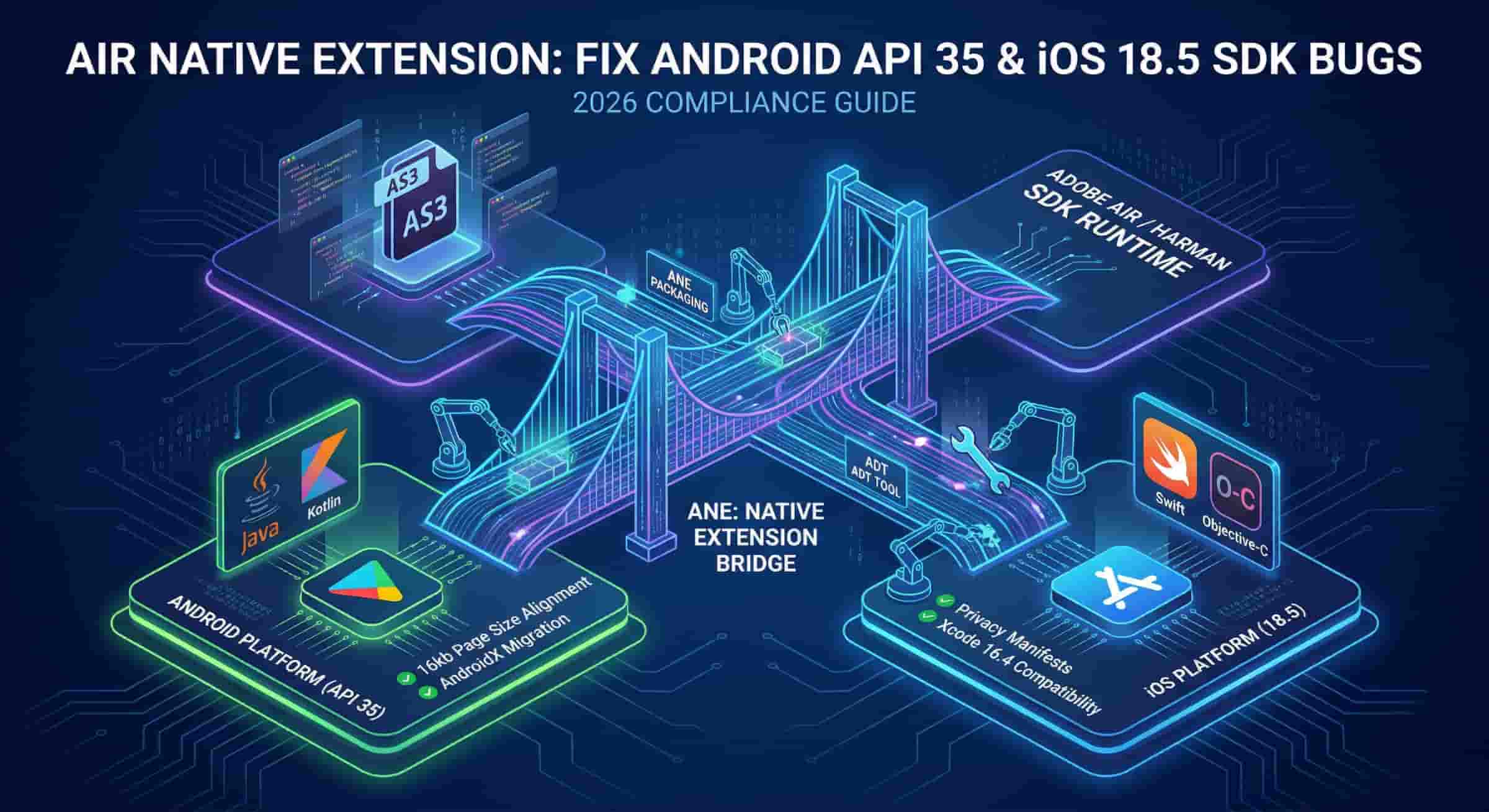
AIR Native Extension: Fix Android API 35 & iOS 18.5 SDK Bugs
You wake up to an automated email from the Google Play Console. Your application update has been rejected. The reason provided is a native code crash on modern devices. This scenario is increasingly common for developers maintaining legacy cross-platform applications in 2026.
The culprit is almost always an outdated AIR Native Extension. Platforms now enforce strict new architectural rules. Legacy extensions fail on newer hardware. Building a compliant AIR Native Extension requires adapting to these new platform mandates.
Your ActionScript 3.0 code works perfectly. The failure happens at the native code bridge. The transition of the platform to the HARMAN AIR SDK kept the ecosystem alive. However, developers must take active steps to update their native integrations. This guide provides the exact blueprint for achieving Android API 35 and iOS 18.5 compliance this year.
Anatomy of a Modern ANE (2026 Standards)
An AIR Native Extension acts as a translator. It allows a cross-platform runtime to speak directly with device-specific hardware. This process involves multiple distinct components working together.
Every functional extension requires three main parts. First, the SWC file contains the ActionScript 3.0 API definitions. Second, the platform-specific libraries hold the compiled C++, Java, Objective-C, or Swift code. Third, the extension.xml file binds these elements together.
The Extension Context is the heart of this architecture. It establishes the secure channel between the AS3 application and the native operating system. Without a properly initialized context, your app cannot access features like StageWebView or a NativeProcess.
Modern ANE packaging relies entirely on the ADT tool. The AIR Development Tool compiles all source files into a single .ane package. The structure of this package must align perfectly with 2026 standards.
[Diagram Placeholder: Visual flowchart showing AS3 communicating through the Extension Context to Android Java and iOS Swift native libraries]
Developers must organize their directories meticulously. A typical project folder includes a build directory, an android folder for .jar or .aar files, and an ios folder for .framework files. Any missing dependency will cause the ADT tool to throw a packaging error.
Upgrading to HARMAN AIR SDK 51.3 for API 35
Adobe officially ended its support for the runtime years ago. HARMAN International took over the development and maintenance of the platform. Their continuous updates are the only reason these applications still run on modern smartphones in the USA.
The HARMAN AIR SDK version 51.3.1.3 is mandatory for 2026 deployments. Google Play requires all new apps and updates to target Android API 35. Older SDK versions simply cannot compile code that satisfies this requirement.
Updating your target SDK version is the first step. Open your application descriptor XML file. Locate the <android> section and update the <targetSdkVersion> node to 35.
You must also complete a full AndroidX Migration. Older extensions relied on the deprecated Android Support Library. Google completely removed support for these legacy libraries. If your extension uses old support classes, your app will crash on launch.
Commercial providers have already made this shift. According to the 2025 documentation from Distriqt, developers must swap all android.support references to their androidx equivalents within their native Java code. You will need to recompile the native Android library after making these code changes.
Solving the 16kb Page Size Requirement on Android 15+
Android 15 introduced a massive change to how the operating system handles memory. Newer devices process memory in 16kb virtual memory page sizes. Older devices used 4kb pages.
This change dramatically improves performance on heavy applications. However, it breaks legacy native C++ code. If your AIR Native Extension includes pre-compiled .so files built for 4kb pages, the Android OS will refuse to load them.
The resulting error is a cryptic “unaligned library” crash. Many developers waste days debugging their ActionScript 3.0 code. The real issue is strictly at the native linker level.
Pro-Tip: You can test for this issue before submitting to Google Play. Use an Android API 35 emulator configured with a 16kb page size. Run your
.apkvia the command line. Monitor the Logcat output forjava.lang.UnsatisfiedLinkErrormessages related to your extension.
Fixing this requires recompiling your native Android libraries from the source C++ code. You must instruct the compiler to align the binaries for the new memory structure.
Open your Android NDK build configuration. Add the following linker flag to your CMakeLists.txt or Android.mk file:
-Wl,-z,max-page-size=16384
Recompile the .so files. Package them back into your .aar file. Rebuild the final ANE using the ADT tool. This process ensures your dynamic linking works flawlessly on the latest US market Android hardware.
iOS 18.5 Compliance: Privacy Manifests & Xcode 16.4
Apple enforces strict privacy and security mandates for the App Store. The iOS 18.5 SDK introduces mandatory Privacy Manifests for all third-party SDKs and extensions. Your application will fail the automated App Store review without one.
A Privacy Manifest is a file named PrivacyInfo.xcprivacy. It details exactly what data your extension collects and why it needs that data. You must include this file inside the META-INF folder of your iOS ANE package.
Apple Developer Documentation outlines the concept of “Required Reason APIs.” If your native Objective-C or Swift code accesses user defaults, disk space, or active keyboards, you must declare a valid reason. Failure to declare these APIs results in an instant automated rejection email.
Your ANE development environment must also be current. You need to compile your native iOS code using Xcode 16.4. This ensures your libraries are valid IPA 64-bit binaries. Apple no longer accepts 32-bit architecture or older bitcode formats.
When compiling your .framework file in Xcode, verify your deployment target. Set the minimum deployment target to iOS 15 or higher. This strips out legacy code paths and reduces the final file size of your extension.
The Pro Developer’s ADT Packaging Workflow
Packaging an ANE requires precision. A single typo in your command line will ruin the build. Professional developers use automated build scripts rather than typing commands manually.
The ADT tool requires you to define an External Library Path for your ActionScript dependencies. You must point the compiler to your extension.xml and your platform-specific folders.
Here is a standard, optimized ADT command for 2026:
adt -package -target ane MyExtension.ane extension.xml -swc MyExtension.swc -platform Android-ARM64 -C android/ . -platform iPhone-ARM -C ios/ .
Always verify your Manifest Additions block in your application descriptor. Android requires specific permissions to run native code. You must declare these permissions clearly.
XML
<manifestAdditions>
  <![CDATA[
    <manifest android:installLocation="auto">
      <uses-permission android:name="android.permission.INTERNET"/>
      <uses-permission android:name="android.permission.ACCESS_NETWORK_STATE"/>
    </manifest>
  ]]>
</manifestAdditions>
iOS requires similar attention to detail. Your Entitlements.plist must reflect the capabilities your ANE uses. If your extension uses push notifications or background audio, you must inject those exact entitlements during the ADT packaging phase.
[Official HARMAN Developer Portal for ADT CLI documentation]
Troubleshooting & Optimization (The Expert’s Toolkit)
Advanced developers know how to extract maximum performance from the runtime. The latest HARMAN releases include new ways to optimize execution speed.
Look into the systemConfig optimization tags. You can add these to your application descriptor to tweak the internal engine. You can adjust the Garbage Collection policy to reduce frame drops during intense native code execution. You can also modify how the JIT compiler handles dynamic ActionScript.
macOS users frequently encounter a specific permissions bug. When you download a new version of the HARMAN AIR SDK, macOS flags the executable files. The operating system puts them in quarantine.
When you try to run the ADT tool, the terminal throws a “permission denied” error. Do not waste time changing file ownership. You need to clear the extended attributes.
Open your macOS terminal. Navigate to the folder containing your SDK. Run this exact command:
xattr -d -r com.apple.quarantine .
This command strips the quarantine flag from all files recursively. Your ADT tool will now execute normally. Keep this command handy every time you update your SDK version.
Conclusion
Maintaining a legacy cross-platform application requires vigilance. You cannot rely on outdated extensions in 2026. Upgrading to HARMAN SDK 51.3, aligning your Android memory pages to 16kb, and integrating iOS Privacy Manifests are mandatory steps for survival.
The future stability of your application depends entirely on your native layer. ActionScript 3.0 remains a highly capable language. However, it is the C++, Java, and Swift bridges that dictate whether your app passes store review.
Audit your current project dependencies today. Identify every native library in your build pipeline. Recompile your Android binaries for API 35 compatibility and test your iOS payloads in Xcode 16.4 to secure your app’s position in the store.
FAQs
Is Adobe AIR still supported in 2026?
Adobe no longer supports the platform. HARMAN International develops, maintains, and licenses the SDK. They provide regular updates to ensure compatibility with modern Android and iOS ecosystems.
How do I fix the “Extension context is null” error?
This error occurs when the ActionScript code cannot find the native library. Verify your extension ID in the extension.xml matches your initialization code exactly. Also check that your .so or .framework files are correctly packaged inside the ANE.
What is an AIR native extension (ANE)?
It is a custom library that bridges cross-platform ActionScript code with device-specific native code. This allows applications to utilize hardware features like Bluetooth, advanced camera controls, and native payment gateways.
How to add an ANE to Adobe Animate 2026?
Open your Animate project file. Navigate to Advanced Settings. Select the Library Path tab. Click the browse icon and select your .ane file. Ensure you check the box to package the extension with the final application.
Does HARMAN AIR SDK support Android API 35?
Yes. Starting with version 51.3, the SDK fully supports targeting API 35. You must manually update your application descriptor XML to declare this target SDK version.
How to migrate ANEs to AndroidX?
You must rewrite your native Java or Kotlin code. Replace all imports referencing android.support with their modern androidx equivalents. You then need to recompile your .jar or .aar library.
Can I use Swift for AIR Native Extensions on iOS 18?
Yes. You can write your native iOS libraries entirely in Swift. You must create an Objective-C bridging header to allow the C-based AIR runtime API to communicate with your Swift classes.
Why is my ANE-based app crashing on Android 15?
Your native C++ libraries are likely compiled for 4kb memory pages. Android 15 on newer hardware enforces a 16kb page size. You must recompile your .so files using the max-page-size=16384 linker flag.